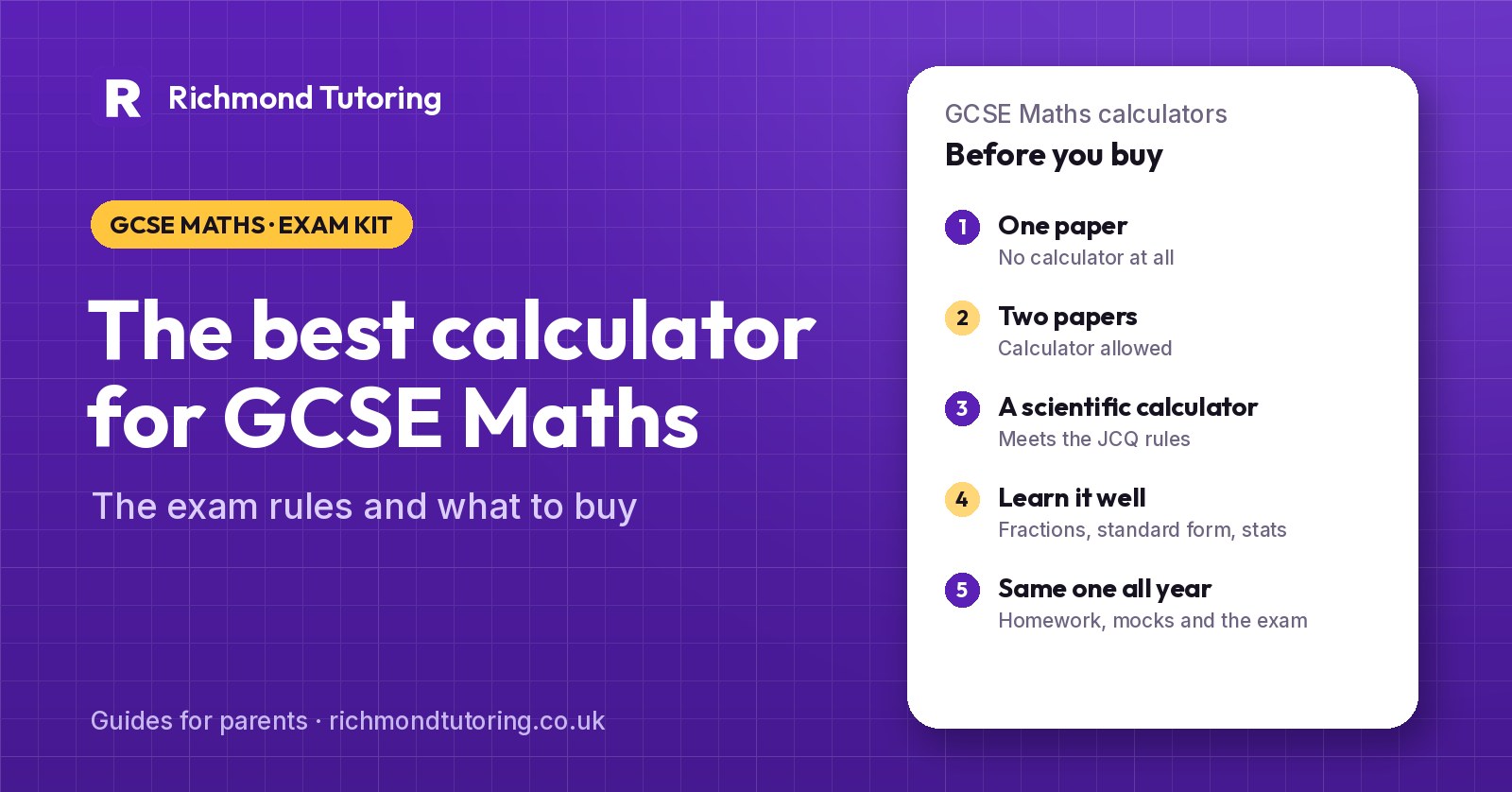
Two of the three GCSE Maths papers allow a calculator, so the one your child uses is worth getting right. The good news is that it doesn't need to be expensive or complicated. The calculator that matters most is the one your child knows inside out by the time of the exam. This guide covers the exam rules, which models work well for Foundation, Higher and A-Level, and how to make sure the calculator helps rather than costs marks.
The short answer: Any standard scientific calculator that meets the JCQ exam rules is fine for GCSE Maths. Casio's current UK models are the fx-83GT CW+ and fx-85GT CW+ (the 85 adds solar power), and the fx-991CW+ UK for students taking Higher tier who plan to go on to A-Level. Graphical calculators are allowed if they meet the rules, but they're not needed. Buy early and use the same calculator for homework, mocks and the real exam.
Which GCSE Maths papers allow a calculator?
Every exam board sets three papers, at either Foundation or Higher tier. All three count equally.
| Paper | Calculator? | Length (AQA, Edexcel) |
|---|---|---|
| Paper 1 | No calculator | 1 hour 30 minutes |
| Paper 2 | Calculator allowed | 1 hour 30 minutes |
| Paper 3 | Calculator allowed | 1 hour 30 minutes |
So two thirds of the marks are on calculator papers. Any topic can come up on any paper, which means your child still needs good written methods for fractions, percentages and long multiplication, both for Paper 1 and for checking answers on the other two.
For the 2027 exam dates, see our guide to GCSE exam dates 2027.
What are the rules on calculators in GCSE exams?
The rules come from JCQ, the body that sets exam regulations for all the main boards, in its Instructions for Conducting Examinations. The exam boards repeat them in their specifications. In summary, a calculator in the exam room must be:
- of a size suitable for use on the desk
- battery or solar powered
- free of lids, cases and covers that have printed instructions or formulas
It must not be able to offer:
- language translation
- symbolic algebra manipulation (rearranging or simplifying algebra)
- symbolic differentiation or integration
- communication with other machines or the internet
- retrievable stored information, including databanks, dictionaries, mathematical formulas and text
A calculator that only gives numerical answers is fine. Some graphical calculators meet the rules only when an exam mode is switched on, and that's allowed. Phones, smartwatches and calculator apps are never allowed.
Candidates are responsible for their calculator's power supply, for its working condition, and for clearing anything stored in it. Borrowing a calculator from another student during the exam isn't allowed, although an invigilator can hand over a replacement.
The exam boards also set a minimum: AQA's GCSE Maths specification says the calculator should have the four operations and square, square root, reciprocal and power functions, brackets, a memory, and the usual exponential, trigonometric and statistical functions. Every mainstream scientific calculator does.
Is the Casio fx-991CW allowed in GCSE Maths?
Yes. The fx-991CW, and the newer fx-991CW+ UK that replaces it, can be used in GCSE and A-Level exams. It solves equations numerically and gives numerical derivatives and integrals, but it doesn't do symbolic algebra, so it meets the JCQ rules.
Older models are fine too. If your child already has an fx-83GT X, fx-85GT X, fx-83GT CW or fx-85GT CW that works, there's no need to replace it.
Which calculator should my child buy?
There are lots of good makes. We name Casio's range here because most UK schools teach with it, so teachers' instructions, worksheets and videos usually match the buttons your child will see. Check what the school uses before you buy.
| Calculator | Good for | Notes |
|---|---|---|
| Casio fx-83GT CW+ | KS3 and GCSE, Foundation or Higher | Battery powered. The standard school calculator. |
| Casio fx-85GT CW+ | KS3 and GCSE, Foundation or Higher | Same functions as the fx-83GT CW+, with solar power and a battery backup. |
| Casio fx-991CW+ UK | Higher tier GCSE, then A-Level | Adds an equation solver, matrices, complex numbers, numerical calculus and statistical distributions. |
| Graphical calculator | A-Level (optional) | Allowed if exam-compliant, but not needed for GCSE. |
Casio describes the fx-83GT CW+ and fx-85GT CW+ as covering everything students need up to GCSE, and the fx-991CW+ UK as the step up for Higher tier and A-Level.
Our suggestion:
- Foundation tier: an fx-83GT CW+ or fx-85GT CW+. The extra functions on a more advanced model won't earn extra marks, and a simpler layout is easier under pressure.
- Higher tier, with A-Level Maths or sciences in mind: the fx-991CW+ UK. It does everything the cheaper models do, and your child won't need to learn a new calculator in Year 12.
What features matter for GCSE Maths?
For GCSE, these are the buttons that earn marks:
- Fractions: entering, simplifying and converting fractions and mixed numbers, and switching between fraction and decimal answers.
- Standard form: entering numbers like 3.2 × 10⁻⁵ with the ×10ˣ key, and converting answers into standard form.
- Powers, roots and brackets: typing a whole calculation in one go, in the right order.
- Trigonometry in degrees: sin, cos and tan, and their inverses for finding angles. The calculator must be in degree mode (a small D on the screen).
- Statistics mode: working out the mean from a frequency table, which saves time and avoids adding errors.
- The answer and memory keys: reusing a previous answer without retyping a rounded version, which keeps the final answer accurate.
- Table mode: making a table of values for drawing a graph.
The fx-991CW+ UK adds an equation solver, which is handy for checking a quadratic or a pair of simultaneous equations. Your child still has to show an algebraic method on the paper to earn the marks.
What calculator do you need for A-Level Maths?
A-Level is stricter. The Department for Education's subject content says calculators used for A-Level Maths must include:
- an iterative function (for example an ANS key that repeats a calculation)
- the ability to compute summary statistics and access probabilities from standard statistical distributions
In practice, that means your child must be able to work out binomial and normal probabilities on the calculator. The basic fx-83GT and fx-85GT models don't do this; the fx-991CW+ UK and graphical calculators do. This is the main reason we suggest the fx-991CW+ UK for students heading towards A-Level Maths.
If your child is also thinking about the TMUA for a maths-related university course, note that no calculator is allowed in that test at all. Our TMUA guide explains more.
Want a second opinion? Book a free 45-minute demo class with a specialist tutor — no contract, and an honest view of what your child needs.
Book a free demo classCommon calculator mistakes that cost marks
We see the same errors again and again in mocks:
- Wrong angle mode. If the screen shows R or G instead of D, every trigonometry answer will be wrong. Reset to degrees before each paper.
- Rounding too early. Writing down 3.46 and typing that into the next step gives a final answer that's slightly off, and can lose an accuracy mark. Keep the full value in the calculator with the answer or memory keys.
- Missing brackets. Typing 5 + 3 ÷ 2 instead of (5 + 3) ÷ 2, or forgetting brackets around a negative number when squaring it.
- No working. Writing only the final answer means losing every method mark if it's wrong. Write down what you typed into the calculator, then the answer.
- Not reading the display properly. Misreading a standard form answer, or copying a fraction answer when the question asks for a decimal.
- A new calculator just before the exam. A different button layout under pressure leads to slow, careless work.
How should my child get to know their calculator?
- Use it for every piece of homework and every past paper. Our GCSE Maths past papers guide links to the official papers for each board.
- Learn the five or six functions above properly. Casio and other makers publish short free videos for each model.
- Know how to reset it. A reset clears stored settings and puts it back into degree mode.
- Still practise without it. Paper 1 is worth a third of the marks. Estimating an answer before using the calculator also catches typing errors on Papers 2 and 3.
What to take on exam day
- The calculator your child has practised with, with the cover off and nothing written on it.
- A spare battery, or a spare calculator of the same model if you have one. Solar models with a battery backup reduce the risk of running out of power.
- A pen, pencil, ruler, protractor and pair of compasses, which all papers expect students to bring.
Your child can't borrow from a friend once the exam has started, so check the calculator works the night before.
Want a second opinion on where your child stands?
- The free GCSE Maths check takes 25 minutes and gives an estimated grade and the topics to work on first.
- The free GCSE Maths grade calculator converts paper marks into a grade on real AQA, Edexcel and OCR boundaries.
- A free 45-minute demo class with a GCSE maths tutor, who can also show your child the calculator shortcuts that save time in the exam.
The bottom line
A standard scientific calculator that follows the JCQ rules is all your child needs for GCSE Maths. The fx-83GT CW+ or fx-85GT CW+ covers Foundation and Higher, and the fx-991CW+ UK is worth it for Higher students heading to A-Level, where statistical functions become a requirement. Whichever you choose, buy it early, use it for every past paper, keep it in degree mode, and show the working. The calculator only helps if your child already knows exactly where everything is.